Segway Navimow vs Worx Landroid, Which to Pick
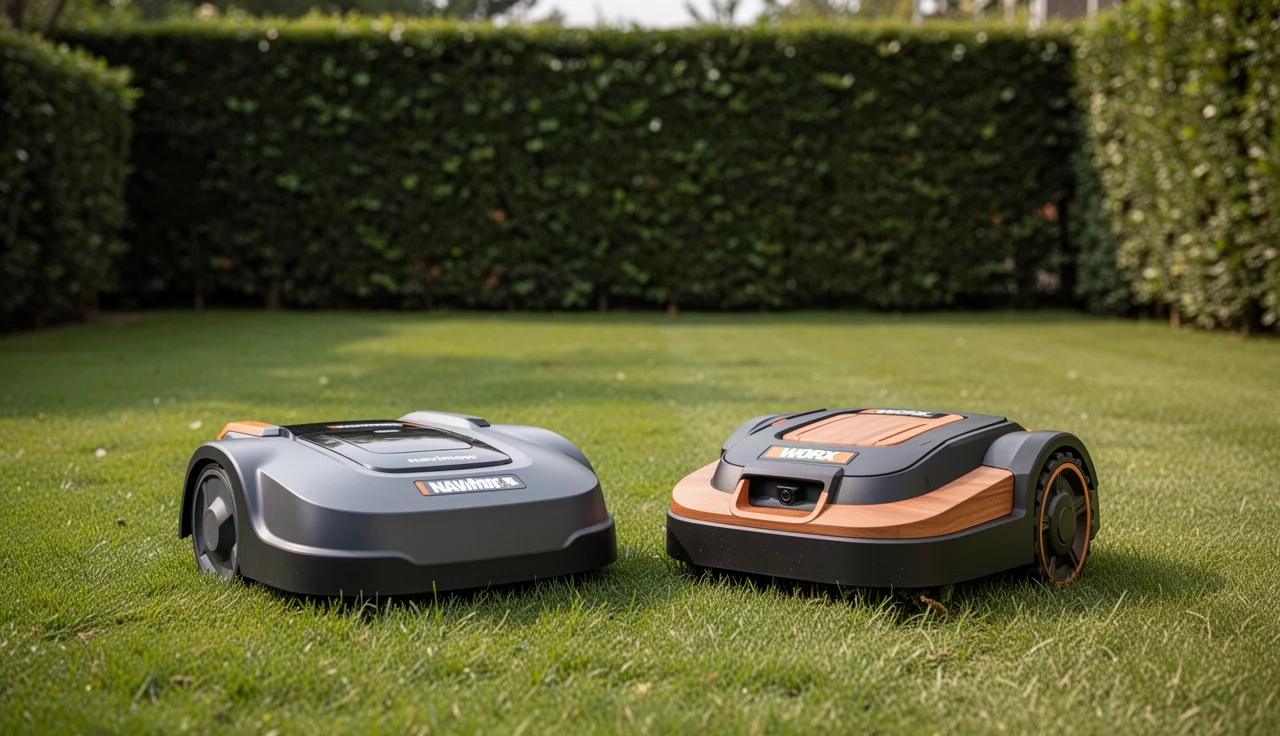
Segway Navimow vs Worx Landroid: an honest comparison of how each robot mower finds its way, who each suits, and where each falls short. Pick yours.
By TheYardForge — outdoor and garden gear, analyzed honestly for real backyards
Choosing a robot mower feels a bit like hiring someone to work in your yard while you're not home, so you want to trust the choice. Here's the short answer. Pick the Segway Navimow if you want a mower that maps your lawn by satellite positioning with no boundary wire to bury. Pick the Worx Landroid if you're comfortable with a perimeter wire and want a mature, widely sold line with several size options. Quick note: some links in this article are Amazon affiliate links, they support the blog at no extra cost to you. For a deeper head-to-head, see our full Navimow vs Landroid breakdown.
The Core Difference: How Each Mower Finds Its Way
Based on the manufacturers' descriptions, the Navimow relies on a virtual boundary built from satellite positioning, which you set up through an app. The Landroid traditionally uses a physical wire laid around the lawn edge, though Worx also sells wire-free variants, so confirm which version you're looking at.
That one choice shapes everything else, from setup effort to how well the mower copes with tree cover.
Side-by-Side Comparison
| Criteria | Segway Navimow | Worx Landroid |
|---|---|---|
| Boundary method | Virtual, satellite-based | Wire (wire-free models exist) |
| Setup effort | App mapping, no digging | Wire pegging or burying |
| Best for | Open lawns, wire-averse owners | Mixed layouts, budget flexibility |
| Weak spot | Sky view needed for accuracy | Wire breaks, extra install time |
| Range of models | Narrower | Broad |
| Price | Check the current price on Amazon | Check the current price on Amazon |
Always confirm cutting width, battery runtime, slope limits and lawn coverage for your exact model on the product page. Those figures vary by version.
Which Should You Choose If...
Choose the Navimow if:
- You hate the idea of laying wire.
- Your lawn is fairly open with decent sky view.
- You like managing things from a phone app.
Choose the Landroid if:
- You want more model sizes to match your lawn.
- Your yard has dense trees or tight spots where satellite signal may struggle.
- You're fine with a one-time wire setup.
Skip the Navimow if heavy tree cover blocks the sky over much of your lawn. Skip the Landroid if a wire installation sounds like a weekend you don't want to give up.
If you're still weighing brands, our Landroid vs Husqvarna Automower comparison covers another popular route.
How to Decide in Five Steps
- Measure your lawn and note any steep slopes.
- Check how much open sky you have above the grass.
- Decide whether you'll tolerate wire installation.
- Match each model's stated coverage to your lawn size.
- Compare the current prices on Amazon before buying.
Setup Mistakes That Cost You Hours Later
Most frustrated owners don't fail at mowing, they fail in the first afternoon of setup. With the Navimow, the common mistake is rushing the mapping lap. Walk too fast, cut corners, or let the app auto-drive before the boundary is clean, and you'll spend the next week watching the mower wander outside its zone. Walk the perimeter at a steady, deliberate pace, keep the phone in front of you, and re-map if the first pass shows wobbly edges. For the Landroid, the classic error is leaving the wire loose above ground in the first few weeks. It settles, gets snagged by a rake, or is chewed by rodents. Bury it at least two inches deep, or if you're pegging, peg every 18 to 24 inches and wait a month before burying, so you know the layout works before committing. Finally, for both mowers, set the cutting height lower than you think during the first two mows. New owners often leave it high, then complain the mower "doesn't cut." A lower first pass establishes a clean base, and the mower handles regrowth better from there.
Turning a Weakness into a Strength: Zone Management
Every robot mower has areas it hates. Instead of fighting yours, partition the lawn into zones and assign different schedules. If you own a Navimow and have one shaded corner under a maple, don't expect the satellite signal to hold there. Create a separate zone for that area, set it to run later in the day when the leaf canopy is drier and slightly less dense, or plan to edge that one section manually once a week. Landroid owners face the opposite problem: long, narrow side passages where the wire guide runs too close to the boundary. The mower bumps, turns, misses, and beeps. Run a second guide wire down that corridor and set it as its own zone in the app. In practice, a narrow strip wider than three feet but narrower than eight is where most Landroid complaints come from. Solving that with a dedicated guide wire rather than demanding the mower "figure it out" saves hours of error codes.
FAQ
Does the Navimow need a boundary wire? According to the manufacturer, it uses a virtual boundary instead of a wire. You map the lawn through the app, so there is nothing to bury.
Can the Landroid work without wire? Some Worx models are sold as wire-free, while classic versions use a perimeter wire. Check the product page for the exact model.
Which handles trees better? A wire-based Landroid doesn't depend on sky view, so it's usually the safer pick for heavily shaded yards. Navimow owners with dense canopy should read reviews carefully.
Is one clearly cheaper? Prices change often and vary by model. Check the current price on Amazon for the specific versions you're comparing.
Conclusion
The Navimow suits open lawns and owners who want zero wire, while the Landroid suits varied yards and buyers who want more model choice. Match the mower to your lawn, not the other way around.